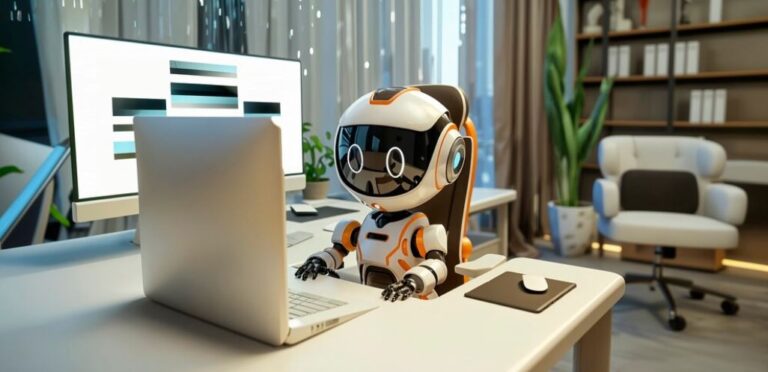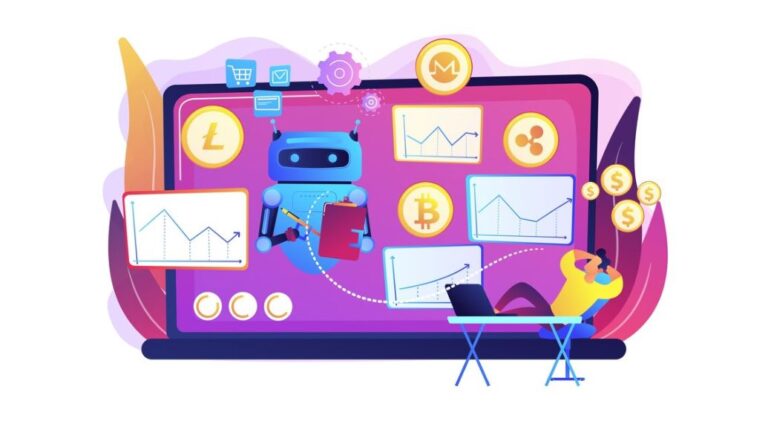
User experience (UX) can make or break a website. A site may have beautiful visuals and compelling content, but if users struggle to navigate it, they’ll leave before converting. That’s why UX testing and analysis are so critical. But here’s the catch — doing it manually can be time-consuming, expensive, and often limited in scope.
Enter AI-powered UX testing. Artificial intelligence is transforming how businesses test and optimize digital experiences. Instead of relying solely on human testers or guesswork, AI tools can now automate usability tests, analyze user behavior, and provide actionable insights faster than ever before.
For businesses working with a digital marketing agency, this shift represents a major advantage. It means agencies can deliver smarter, data-driven website improvements that boost engagement and conversion — all while saving valuable time.
Let’s explore how AI is reshaping UX testing, the tools leading the way, and how your brand can use them to improve your online performance.
The Evolution of UX Testing
UX testing has traditionally been a manual process. Teams would recruit real users, ask them to complete tasks, observe their behavior, and take notes. The insights were valuable, but the process was slow and expensive. Plus, the sample size was usually small, which meant results weren’t always representative.
AI has changed that. Today, machine learning algorithms can analyze user interactions — such as clicks, scrolls, and navigation paths — at scale. AI tools can detect friction points automatically, identify confusing layouts, and even predict how users might behave in the future.
This shift doesn’t just make UX testing faster — it makes it smarter. Instead of reacting to problems after they arise, brands can proactively optimize their websites for usability and engagement.
How AI Is Automating UX Testing and Analysis
AI tools have made it possible to automate almost every aspect of UX testing. Here’s how they do it:
1. Behavioral Analytics and Heatmaps
AI-powered heatmap tools, like Hotjar and Crazy Egg, automatically track where users click, scroll, and hover. They use machine learning to identify patterns that signal frustration or confusion — such as repeated clicks or quick page exits.
Some platforms go a step further by predicting user intent. For instance, AI can determine whether users are looking for information, ready to purchase, or struggling with navigation. These insights help teams refine design layouts and improve call-to-action placements.
2. Automated A/B Testing
A/B testing has always been a go-to strategy for UX optimization, but traditional testing methods can take weeks to deliver results. AI changes this by dynamically adjusting test parameters in real time.
Platforms like Google Optimize and Optimizely use AI to automatically allocate more traffic to better-performing variations, shortening the testing cycle and improving accuracy. The system learns continuously, ensuring each new test builds on previous data.
3. Predictive User Modeling
AI tools can simulate user behavior before real users even visit a page. For example, platforms such as EyeQuant and Attention Insight use predictive modeling to show how users’ eyes move across a webpage.
This allows UX designers to see what elements capture attention and which areas go unnoticed — all without needing a live test audience. It’s like running a usability test with thousands of virtual users instantly.
4. Natural Language Processing for Feedback Analysis
User feedback is one of the richest sources of UX insights, but analyzing it manually takes time. AI tools equipped with Natural Language Processing (NLP) can read and categorize user comments, surveys, and reviews.
For instance, if hundreds of users mention that “checkout feels confusing,” NLP algorithms can automatically flag this as a recurring issue. This helps teams prioritize improvements based on real sentiment rather than guesswork.
5. Session Replay and Anomaly Detection
AI doesn’t just record user sessions — it interprets them. Tools like FullStory and Smartlook automatically detect anomalies such as rage clicks, broken links, or unusual navigation loops.
These tools highlight where users get stuck or abandon tasks, allowing developers and designers to fix issues quickly. This automation turns what used to be hours of manual observation into a few minutes of AI-driven reporting.
The Benefits of AI-Driven UX Testing
AI-powered UX testing isn’t just a time-saver — it delivers measurable business impact. Here are some of its biggest advantages:
1. Faster Insights
AI tools can process massive amounts of user data in seconds, providing immediate feedback on design performance. This speed allows businesses to make data-driven decisions faster, shortening their optimization cycles.
2. Better Accuracy
Human testers may overlook subtle patterns in user behavior, but AI algorithms excel at spotting these nuances. From identifying slow-loading buttons to detecting confusing layouts, AI reduces human bias and increases testing precision.
3. Continuous Improvement
Unlike traditional testing, AI systems can run continuously. They monitor user behavior around the clock, learning and adjusting recommendations in real time. This ensures that UX improvements are ongoing, not one-time efforts.
4. Cost Efficiency
Automating UX testing significantly reduces costs. Companies can analyze thousands of user sessions without paying for human testers or long analysis hours. For growing businesses, this efficiency can make a major difference.
5. Enhanced Personalization
AI-driven UX tools can adapt website elements based on user profiles. For example, returning visitors might see a personalized homepage or product recommendation. This kind of dynamic UX enhances engagement and drives conversions.
Real-World Examples of AI in UX Optimization
Many leading companies have already embraced AI-driven UX testing — and the results are impressive.
- Airbnb uses machine learning to test layout variations and predict which designs will encourage users to book faster.
- Netflix relies on AI algorithms to test and optimize its interface, ensuring users find content that keeps them streaming longer.
- Amazon continually tests product page layouts and user flow using AI analytics, fine-tuning every detail to maximize conversions.
These examples show that AI-driven UX optimization isn’t just a trend — it’s a proven strategy that delivers real ROI.
Choosing the Right AI Tools for Your UX Strategy
Not every AI tool is built the same. The right choice depends on your goals and the type of data you need. Here are a few recommendations to get started:
- For behavior analytics: Try Hotjar, Crazy Egg, or FullStory for detailed heatmaps and session replays.
- For predictive testing: Use Attention Insight or EyeQuant to simulate eye-tracking and attention maps.
- For A/B testing: Consider Optimizely, VWO, or Google Optimize for AI-driven experimentation.
- For feedback analysis: Explore Thematic or MonkeyLearn for NLP-powered sentiment insights.
When working with a digital marketing agency, partnering with experts who understand both AI technology and user experience strategy can amplify your results. An experienced team can help you choose the right tools, interpret the data, and implement meaningful design changes that actually move the needle.
Best Practices for Integrating AI into UX Testing
Adopting AI doesn’t mean replacing human insight — it’s about enhancing it. Here are a few tips for integrating AI effectively:
1. Start with Clear Goals
Define what you want to learn from your UX tests. Are you trying to reduce bounce rates, improve conversion paths, or simplify navigation? Having a clear objective ensures AI tools deliver actionable insights.
2. Combine AI Data with Human Analysis
AI can identify issues, but humans understand context. Use AI findings as a foundation, then involve UX designers and marketers to interpret and act on the insights.
3. Prioritize Continuous Testing
UX isn’t a one-time project — it’s an ongoing process. Keep testing and refining based on real-time user data. The more data AI collects, the smarter it becomes.
4. Protect User Privacy
Always ensure your AI tools comply with privacy laws like GDPR or CCPA. Be transparent with users about data collection to build trust and maintain ethical standards.
5. Focus on the User Journey
AI can help you optimize individual elements, but always look at the big picture. Ensure that every touchpoint — from homepage to checkout — contributes to a smooth, cohesive user experience.
The Future of UX Testing: Smarter, Faster, More Human
Ironically, while AI automates much of the UX testing process, it actually helps make websites more human-friendly. By analyzing how real users behave, what frustrates them, and what delights them, AI enables designers and marketers to create experiences that feel intuitive, natural, and personal.
In the near future, we can expect AI to play an even bigger role in predictive UX — where websites adapt automatically based on individual user behavior and preferences. Imagine a homepage that rearranges itself in real time depending on what each visitor cares about most. That’s where AI is heading.
Final Thoughts
AI tools are revolutionizing UX testing and analysis. They allow businesses to collect richer insights, test faster, and deliver more user-friendly experiences — all while reducing costs and improving efficiency.
For companies aiming to stay competitive online, partnering with a digital marketing agency in Pasadena that understands how to harness AI for UX optimization can make a lasting impact. The key is to balance automation with human creativity — letting AI handle the data while people focus on the design and storytelling that connect with users emotionally.
If your business wants to elevate its digital experience strategy, Cybertegic can help. Our team specializes in AI-driven marketing and UX optimization, combining technology with creativity to build websites that truly work for your users.
Let’s make your user experience smarter, faster, and more engaging — together.