
A website can attract thousands of visitors every month. Yet many businesses still struggle to turn those visitors into leads, customers, or loyal followers.
The reason is often surprisingly simple.
People arrive on a website expecting answers. They want information quickly, navigation that makes sense, and they want pages that load without delays. If they encounter friction, they leave.
User experience, often shortened to UX, determines whether a visitor stays or goes. It influences engagement, conversions, search visibility, and ultimately revenue.
Many companies spend heavily on advertising campaigns, SEO optimization, and content creation. Then they send visitors to a website that creates confusion instead of confidence.
That’s like inviting customers into a beautiful store with locked doors.
The good news? Improving user experience does not always require a complete redesign. Small development decisions can create significant improvements.
Let’s explore the website development practices that make the biggest difference.
Why User Experience Matters More Than Ever
User expectations have changed dramatically over the past few years.
Consumers have become accustomed to seamless digital experiences from companies like Amazon, Netflix, and Apple. Those experiences shape expectations everywhere else.
If a website feels slow, cluttered, or difficult to use, visitors rarely give it a second chance.
Research from the Baymard Institute found that the average online cart abandonment rate exceeds 70%. Many of those abandoned purchases are linked directly to poor user experiences during checkout. The organization also found that complex checkout processes remain a major reason shoppers leave before completing a purchase.
Now, here’s the interesting part.
Most businesses assume conversion problems stem from pricing, products, or marketing. Often, the issue is usability.
A visitor wants to take action but encounters obstacles along the way.
That’s where smart website development comes in.
Prioritize Speed Before Anything Else
Ask any UX professional where to start, and you’ll hear the same answer.
Speed.
A beautiful website means very little if it loads slowly.
Users form opinions within seconds. Slow-loading pages create frustration before visitors even see your content. Research consistently shows that website performance strongly affects engagement, bounce rates, and conversions.
Several technical improvements can dramatically improve load times:
- Compress images before uploading
- Implement browser caching
- Minimize JavaScript and CSS files
- Use a content delivery network (CDN)
- Eliminate unnecessary plugins
- Optimize server performance
Many businesses unknowingly add excessive animations, tracking scripts, and third-party tools. Each addition seems harmless. Together, they create delays.
Think of website speed like waiting in line at a coffee shop.
One extra minute may not sound significant. To a busy customer, it feels much longer.
Design Mobile First
More people browse websites on mobile devices than desktops.
Yet many websites are still designed primarily for large screens.
That creates problems.
Buttons become difficult to tap. Forms become frustrating to complete. Text becomes difficult to read.
A mobile-first approach changes the development process entirely.
Instead of shrinking a desktop experience, developers begin with smaller screens and expand outward.
This creates cleaner layouts, better navigation, and improved usability.
Mobile-first design should include:
Larger Tap Targets
Users should never struggle to click buttons or links.
Adequate spacing reduces accidental taps and frustration.
Readable Typography
Tiny text drives visitors away.
Content should remain easy to read without zooming.
Simplified Navigation
Complex menus often fail on mobile devices.
Clear, streamlined navigation improves engagement.
Faster Mobile Performance
Mobile users are often browsing under less-than-ideal conditions.
Optimized performance becomes even more important.
Google’s mobile-first indexing also means mobile usability directly influences search visibility. Better UX often supports stronger SEO performance.
Keep Navigation Predictable
People don’t want to solve puzzles when visiting a website.
They want clarity.
One of the biggest usability mistakes is creating navigation structures that prioritize creativity over usability.
A business may love a unique menu design.
Visitors usually don’t.
The best navigation feels almost invisible.
Users instinctively know where to click because the structure follows familiar patterns.
A few practical guidelines include:
- Keep primary navigation concise
- Use descriptive menu labels
- Include a search function
- Maintain consistent navigation across pages
- Highlight important conversion paths
Imagine entering a grocery store where products are organized randomly.
That’s exactly how visitors feel when navigation lacks structure.
Reduce Visual Clutter
Many websites try to do too much.
Pop-ups appear immediately.
Video autoplay.
Multiple banners compete for attention.
Animations appear from every direction.
The result? Cognitive overload.
Minimalism is not about removing functionality.
It’s about creating clarity.
Research and UX experts frequently emphasize that simpler interfaces often outperform cluttered experiences because users can focus on the actions that matter most.
Before adding a new design element, ask a simple question:
Does this help users accomplish their goal?
If the answer is no, it may not belong on the page.
Make Calls to Action Impossible to Miss
Every page should guide visitors toward a next step.
Unfortunately, many websites bury their calls to action.
Buttons blend into the background.
Messaging lacks clarity.
Users leave without knowing what to do next.
Strong calls to action should:
- Stand out visually
- Use action-oriented language
- Align with user intent
- Appear naturally throughout the journey
For example:
Instead of “Learn More,” consider:
- Schedule a Consultation
- Request a Free Audit
- Get Your Custom Strategy
- Start Your Project
Specificity creates confidence.
Confidence drives conversions.
Improve Form Experiences
Forms often create the biggest friction points.
Businesses spend thousands attracting visitors, only to lose them because of a frustrating contact form.
I’ve seen forms that require fifteen fields before allowing submission.
That’s not lead generation.
That’s interrogation.
Instead:
Ask Only for Essential Information
Every additional field creates friction.
Collect only what you genuinely need.
Use Smart Validation
Help users correct mistakes immediately.
Don’t wait until submission.
Enable Autofill
Autofill saves time and reduces errors.
Design for Mobile
Forms should be easy to complete on any device.
Even small usability improvements can increase completion rates significantly.
Create Content That Supports Scanning
Most visitors don’t read every word.
They scan.
Developers and marketers often overlook this reality.
Website content should support quick information gathering.
Use:
- Clear headings
- Short paragraphs
- Logical content hierarchy
- Visual separation between sections
- Descriptive subheadings
Good UX extends beyond design.
Content structure plays a major role.
Visitors should understand a page’s purpose within seconds.
Build Trust Through Design
Trust is one of the most overlooked aspects of user experience.
People make judgments quickly.
A website that appears outdated or inconsistent can undermine credibility immediately.
Trust-building elements include:
- Professional design
- Secure HTTPS connections
- Client testimonials
- Case studies
- Trust badges
- Clear contact information
- Transparent policies
Consider two websites offering identical services.
One looks polished and professional.
The other feels neglected.
Most visitors choose the first option without hesitation.
Trust influences every conversion decision.
Use AI Tools to Improve User Experience
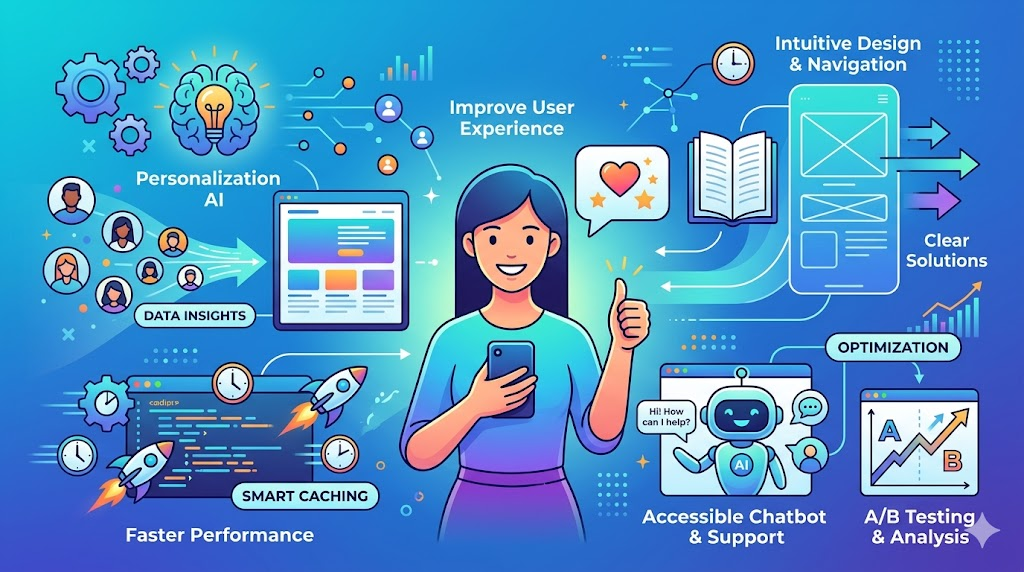
Artificial intelligence is changing how websites evolve.
Rather than guessing what users want, businesses can use data-driven insights.
AI-powered tools help teams:
- Analyze user behavior
- Identify friction points
- Personalize experiences
- Predict customer intent
- Improve content recommendations
- Optimize conversion paths
For example, AI-powered heatmapping tools reveal where users click, scroll, and abandon pages.
This information helps developers make smarter decisions.
Instead of relying on assumptions, teams gain evidence.
Businesses evaluating a digital marketing agency in Los Angeles increasingly ask about AI integration because data-driven optimization creates measurable improvements over time.
The goal isn’t replacing human expertise.
It’s enhancing decision-making.
Real-World Example: Amazon’s Relentless Focus on UX
Amazon provides one of the best examples of user-centered development.
Its website isn’t flashy.
In fact, some designers criticize its appearance.
Yet the company prioritizes usability over aesthetics.
Product discovery is straightforward.
Reviews build trust.
Recommendations feel relevant.
Checkout is streamlined.
Every element supports the user’s goal.
That focus on convenience helped establish Amazon as one of the most successful ecommerce platforms in history.
The lesson is clear.
Users care more about ease than visual complexity.
Real-World Example: Netflix Removes Friction
Netflix continuously tests user experiences.
The company analyzes viewing behavior, interface interactions, and recommendation performance.
Rather than overwhelming users with options, Netflix simplifies decision-making.
Content suggestions appear personalized.
Navigation remains intuitive.
The platform reduces the effort required to find something worth watching.
That approach keeps users engaged longer.
The same principle applies to business websites.
Reduce effort.
Increase clarity.
Improve outcomes.
A Hypothetical Scenario Most Businesses Recognize
Imagine two law firms.
Both invest equally in SEO.
Both generate similar traffic.
Firm A has:
- Slow-loading pages
- Complex navigation
- Long contact forms
- Poor mobile usability
Firm B has:
- Fast performance
- Simple navigation
- Streamlined forms
- Mobile-first design
Which firm converts more visitors?
The answer is obvious.
Traffic acquisition matters.
User experience determines what happens next.
Measure UX Improvements Continuously
User experience is not a one-time project.
It’s an ongoing process.
Customer expectations evolve.
Technology changes.
Competitors improve.
Businesses should regularly monitor:
- Bounce rate
- Conversion rate
- Session duration
- Page load speed
- Form completion rate
- Mobile usability metrics
Testing should become routine.
One insight from experienced UX professionals is that assumptions are often wrong. Real user behavior frequently reveals opportunities no one anticipated. Community discussions among ecommerce professionals regularly highlight how small usability issues can create surprisingly large revenue impacts.
Data should guide decisions.
Not opinions.
The Connection Between UX, SEO, and Revenue

Many businesses view SEO and UX as separate disciplines.
They aren’t.
A fast, user-friendly website supports:
- Better engagement
- Lower bounce rates
- Increased conversions
- Stronger search visibility
- Improved customer satisfaction
Search engines increasingly prioritize user experience signals because they reflect quality.
When visitors stay longer, engage more, and complete desired actions, everyone benefits.
That’s why modern website development must align with broader marketing goals.
Businesses seeking growth often look for a digital marketing agency in Los Angeles that understands both technical website development and AI-powered marketing strategies because the two disciplines are becoming inseparable.
A website is no longer just a digital brochure.
It’s a revenue-generating asset.
Conclusion
Great user experience rarely happens by accident.
It results from deliberate decisions made throughout the development process.
Fast-loading pages. Mobile-first design. Clear navigation. Streamlined forms. Trust-building elements. AI-driven optimization.
Each improvement may seem small on its own.
Together, they create a website that feels effortless to use.
And that’s the real objective.
Not simply attracting visitors.
Helping them accomplish their goals without friction.
When users succeed, businesses usually do too.
Frequently Asked Questions
What is user experience in website development?
User experience refers to how people interact with a website. It includes usability, accessibility, performance, navigation, and overall satisfaction.
Why is website speed important for user experience?
Slow websites frustrate visitors and increase abandonment rates. Faster websites improve engagement, conversions, and search visibility.
How does mobile-friendly design improve UX?
Mobile-friendly design ensures users can easily navigate, read content, and complete actions on smartphones and tablets.
Can AI improve website user experience?
Yes. AI tools can analyze behavior, personalize content, identify usability issues, and help businesses optimize conversion paths.
How often should a website’s user experience be reviewed?
Businesses should review UX regularly through analytics, usability testing, customer feedback, and performance monitoring. Continuous improvement produces the best results.
Does user experience affect SEO rankings?
Yes. Search engines increasingly consider user experience signals such as mobile usability, page speed, and engagement when evaluating websites.
What is the most common UX mistake businesses make?
Many businesses prioritize aesthetics over usability. Visitors generally value speed, clarity, and simplicity more than complex visual effects.